Owners and ops managers
Crews, plans and billing in one view
In ProTTM
What you can do
- A home dashboard with today's and tomorrow's crews, unfilled slots, the TMP pipeline, delivery and billing.
- Approve timesheets in one step, in bulk if needed, or return them with a note.
- Reports on task profitability, utilisation, unbilled work, overdue tasks and TMP turnaround by RCA, exported to CSV or Excel.
- Costs and margins hidden from anyone without the "view costs" permission.
- Roles and permissions by person, team, business unit or the whole company.
- An audit log of every change, and read-only API access for your own tools.
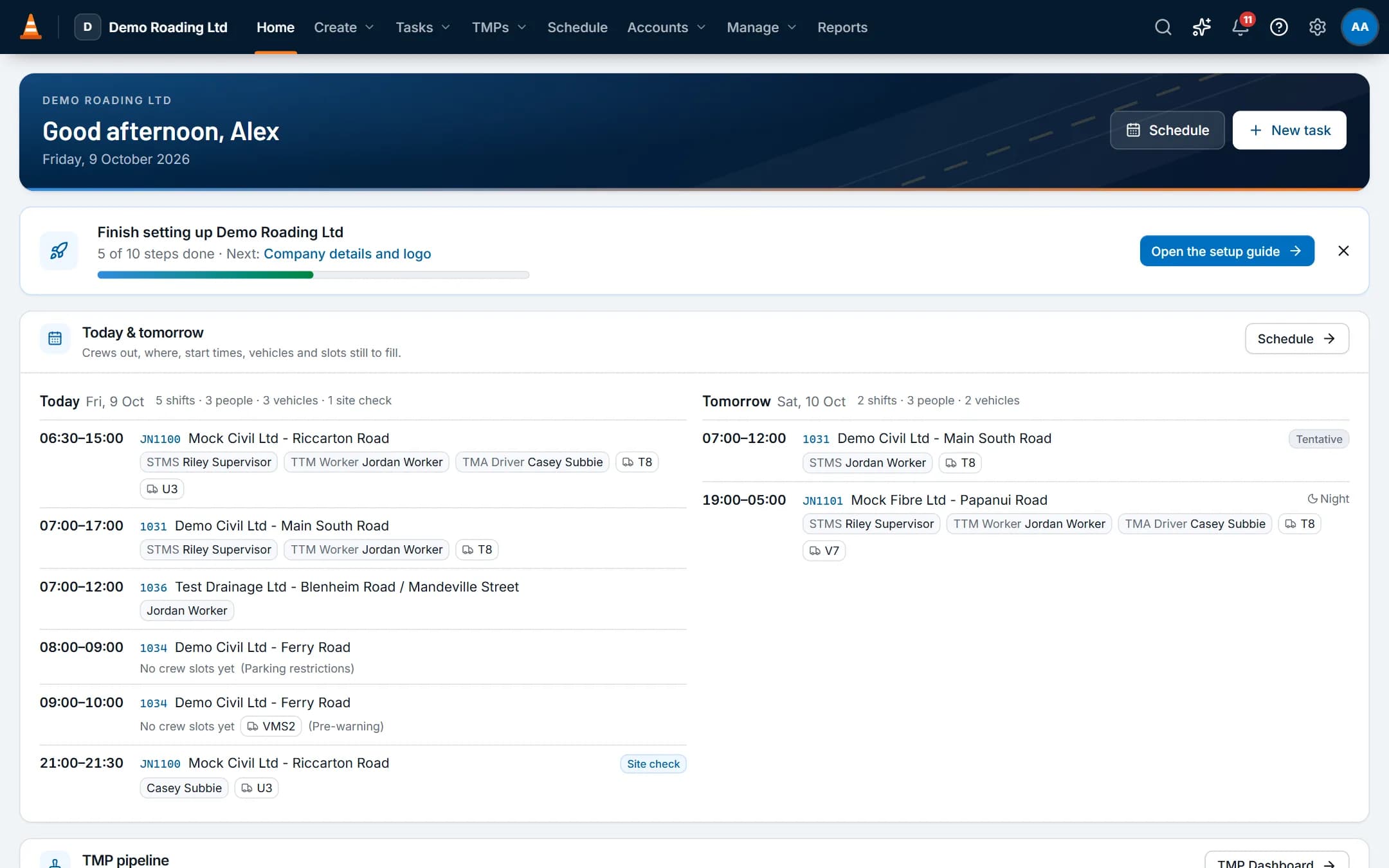
Screens show the real app with fictional demo data.
Features
The parts you'll use most
Reports, dashboard & API
A home dashboard for each role, reports with exports, and a read-only API for your own tools and reporting.
Timesheets & payroll
Time comes from bookings and the field app, is approved once, then goes to payroll and invoicing.
Invoicing & accounting
Approved time and hire priced from your rate cards, synced to your accounting software, with payments synced back.
Questions
Common questions
Can we control who sees what?
Yes. Each person has one or more roles. Each permission covers their own work, their team, a business unit or the whole company. Menus and buttons show only what a role allows, and the server checks every action.
Starter roles are Org Admin, BU Manager, Scheduler / Dispatcher, TMP Designer, Office / Admin, Accounts / Payroll, Supervisor, Field Worker and Subcontractor. Copy and edit them as needed.
Can we hide costs and margins from some staff?
Yes. Cost and margin figures need the "view costs" permission. Reports and task pages hide them from anyone without it.
How much does ProTTM cost?
$14.99 per user per month (NZD, plus GST), with every module included. No platform fee, setup fee or add-ons. You're billed each month for the people who signed in to or used ProTTM that month, so casual crew who didn't work aren't charged. Month to month, no lock-in.
Other roles
The rest of the team
- Schedulers, office and accountsSchedule people and plant with the checks done for you, then turn approved time into invoices.
- TMP designersSee your own TMPs first, keep each RCA's reference numbers on the plan, and find past plans for repeat sites.
- STMS, crews and subcontractorsToday's shift, the approved TMP, and the forms you need, with or without signal.