TMP designers
Your plans, RFIs and due dates in one list
In ProTTM
What you can do
- Your own plans first: requests, RFIs, target dates and what's due this week.
- Each RCA's reference fields on the plan, such as the MyWorksites TMP number or Submitica CAR number.
- Versions v1, v2 and so on, each with the outcome, the RCA's comments and the reasons.
- An expiry queue showing the bookings that rely on each plan, with one-click extensions.
- A library of completed plans, searchable by road, RCA and client.
- Design hours logged by work type, such as TMP Design (CoPTTM) or TMP Design (NZGTTM).
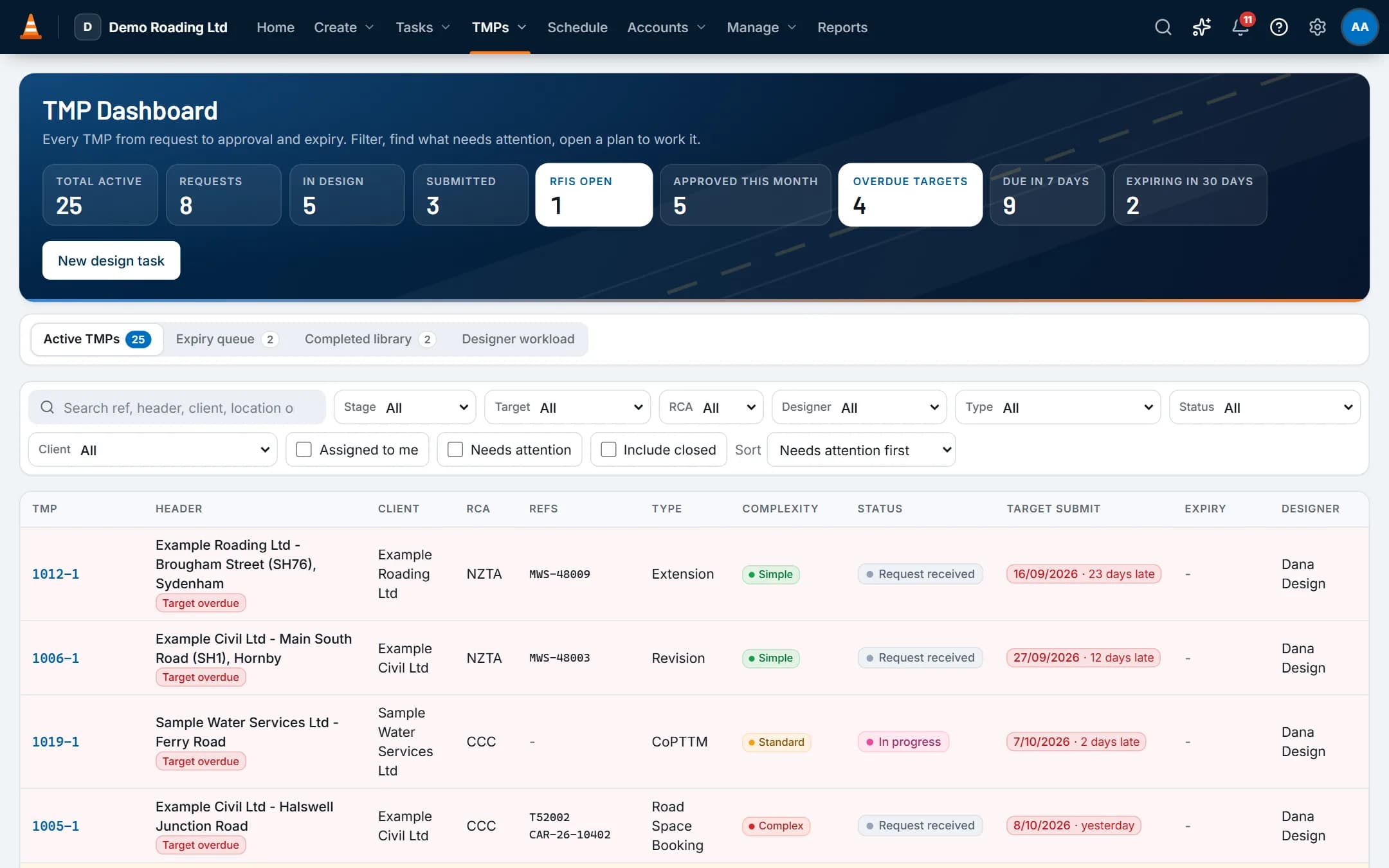
Screens show the real app with fictional demo data.
Features
The parts you'll use most
TMP register & RCA tracking
Each plan from request to approval and expiry, with the reference numbers each RCA uses.
Tasks & job inbox
Every shift, email, hour and invoice line for a job stays on one record.
Reports, dashboard & API
A home dashboard for each role, reports with exports, and a read-only API for your own tools and reporting.
Questions
Common questions
Does it submit our TMPs to MyWorksites or Submitica?
No. You submit in the RCA's portal as you do now. ProTTM records each version, the portal's reference (such as the MyWorksites TMP number or Submitica CAR number) and the RCA's outcome, so the history stays on the job.
Which RCAs are set up?
New companies start with a list of RCAs, with the reference field each one uses, such as the MyWorksites reference or the Submitica CAR number.
You can edit the list, add other RCAs, and set the reference fields each one uses.
Does it handle a move between TMP standards, such as CoPTTM to NZGTTM?
Yes, and both can run side by side. CoPTTM and NZGTTM are separate TMP types, so the TMP Dashboard shows which standard each plan uses. Each has its own design work type and chargeout rate.
There's a starter NZGTTM awareness competency to record who has been briefed, and a Risk Control Plan starter form with hazards and controls from your risk templates. You can rename or extend all of these.
Other roles
The rest of the team
- Owners and ops managersOne dashboard for today's crews, the TMP pipeline and billing, and reports you don't have to build.
- Schedulers, office and accountsSchedule people and plant with the checks done for you, then turn approved time into invoices.
- STMS, crews and subcontractorsToday's shift, the approved TMP, and the forms you need, with or without signal.