Tasks & job inbox
One task per job, with its own inbox
What it solves
The whole job in one place
TTM jobs often run for weeks. The plan request, RCA emails, shifts, hours and invoice end up in different places.
- Job emails sit in one person's inbox.
- Each shift becomes a new job card, so the history is split.
- No one can see what is still to do or to invoice.
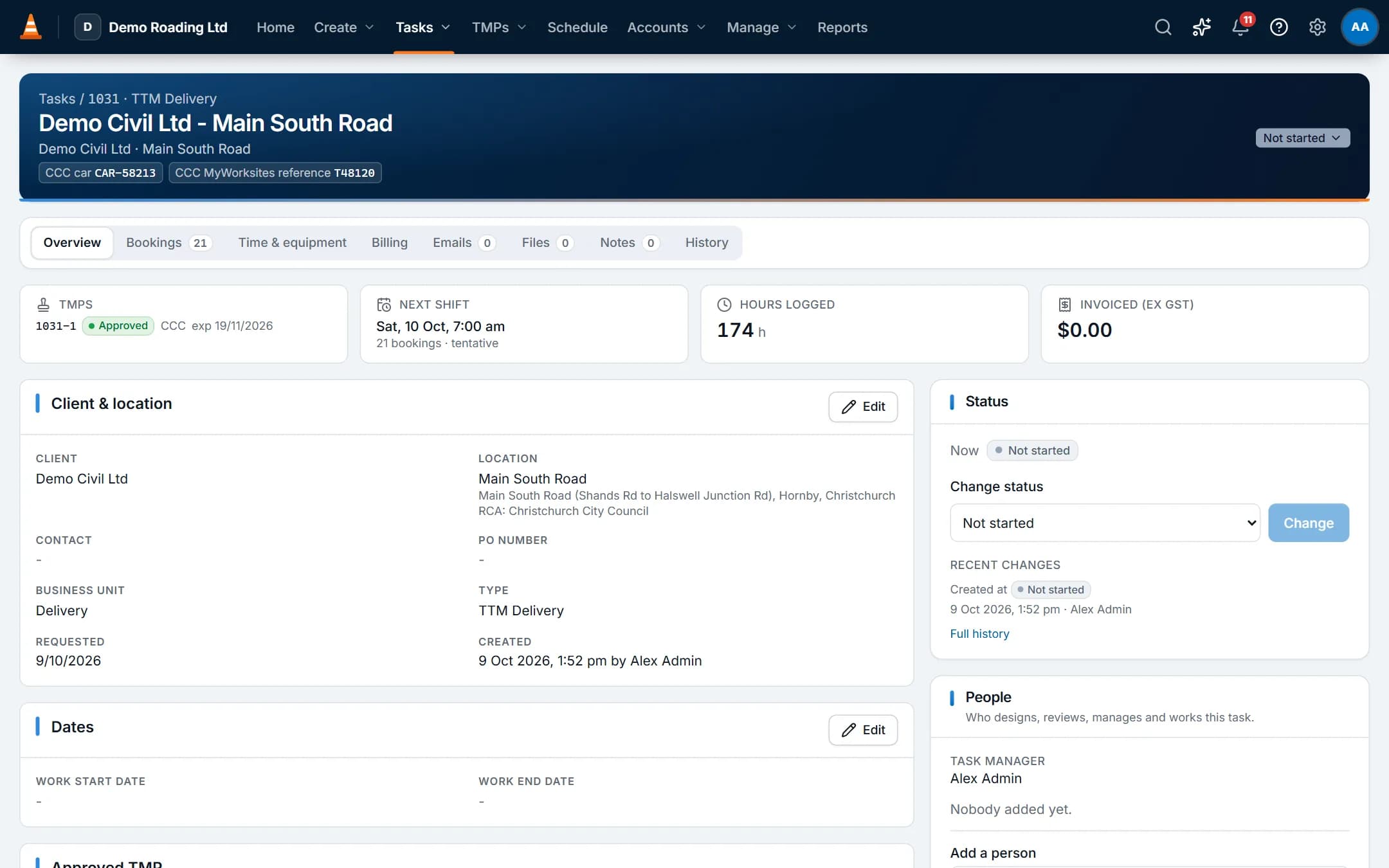
Screens show the real app with fictional demo data.
How it works
Step by step
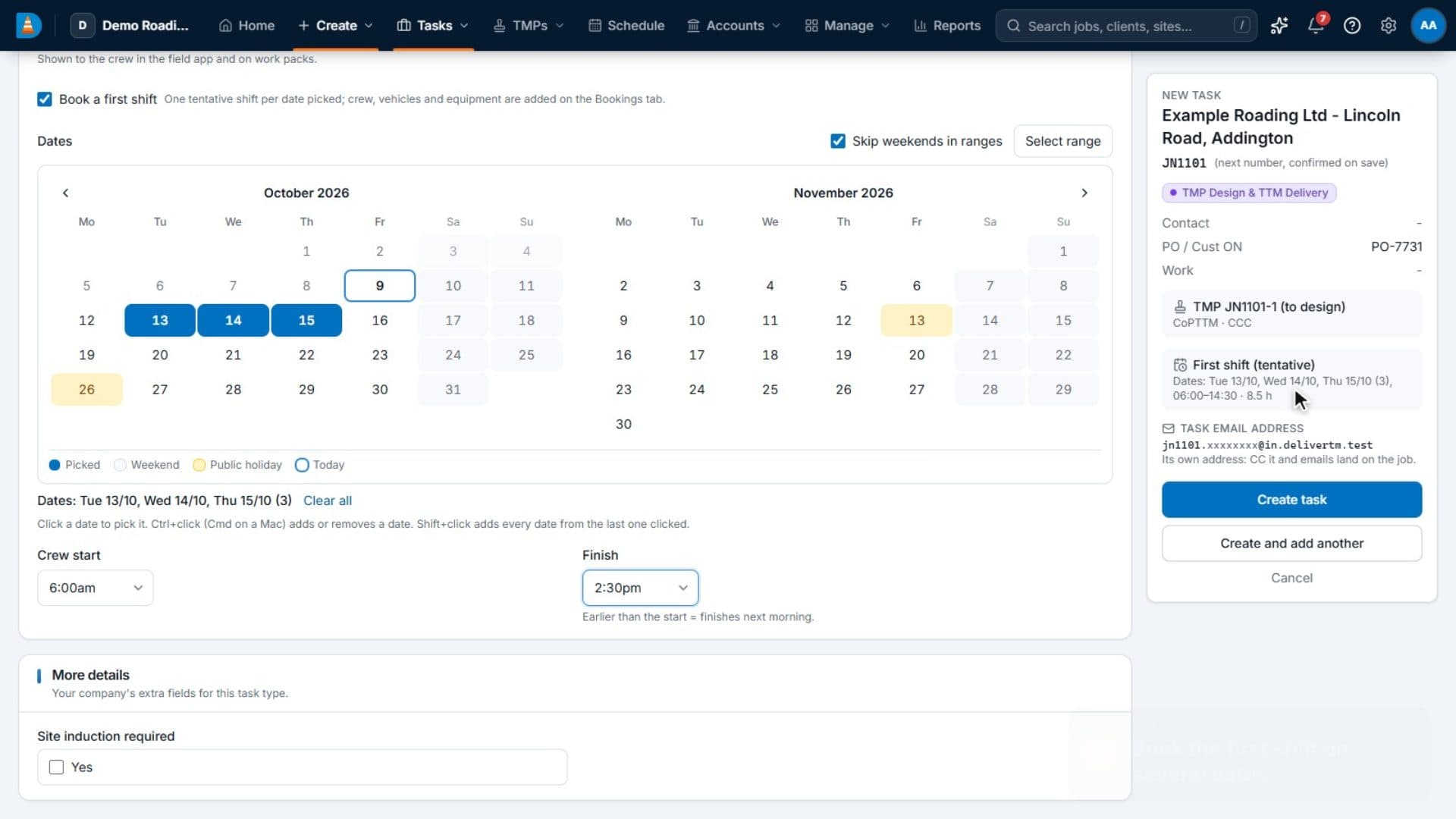
Create the task
Choose Design, Delivery, Design & Delivery, Hire or Non-billable. Only the client and location are required.Answer the type's questions
Each task type asks its own questions. A delivery job asks if the TMP is supplied or carried over. Book the first shift on several dates at once.Work it for weeks
Each shift is a booking under the task. TMP versions, time, files and notes stay on the same record.Copy the task in on email
Each task has its own email address. Emails and attachments sent to it appear on the task's Emails tab.Move it through your statuses
You set the statuses and colours for each task type. A status can require forms to be completed first.
See it work
Watch it in the real app
Key capabilities
What it does
- Headed "Client - Location" and numbered with your own prefix and start number. Numbers are never reused.
- Five task types, each with its own statuses that you can edit.
- Tabs for Overview, TMP, Bookings, Time, Costs & billing, Files, Notes, Emails and History.
- An email address per task. Messages, attachments and the original .eml are filed on the job, and the team is notified in the app. Remote images stay hidden until someone shows them.
- Notes marked internal, for field staff or for the client.
- Custom fields on tasks, clients, locations, TMPs and bookings, limited to the task types that need them.
- Quotes priced from rate cards that convert to tasks. Projects that compare budget with actuals. Recurring tasks: weekly, monthly or a custom rule.
- Bulk status changes, and search by job number, client or street from the top bar.
Good to know: ProTTM only receives email at a task's address. Staff reply from their own email and keep the task address in CC.
Questions
Common questions
Does ProTTM email invoices and quotes to our clients?
No. Download the PDF and send it yourself, then mark it as sent. Or switch on Xero's invoice email so Xero sends approved invoices.
ProTTM only sends account emails: invitations, password resets, email confirmations and sign-in links.
Can we control who sees what?
Yes. Each person has one or more roles. Each permission covers their own work, their team, a business unit or the whole company. Menus and buttons show only what a role allows, and the server checks every action.
Starter roles are Org Admin, BU Manager, Scheduler / Dispatcher, TMP Designer, Office / Admin, Accounts / Payroll, Supervisor, Field Worker and Subcontractor. Copy and edit them as needed.
On the same job
Works with
TMP register & RCA tracking
Each plan from request to approval and expiry, with the reference numbers each RCA uses.
Scheduling & crews
People and vehicles by day, with clashes, tickets, leave and fatigue checked as you book.
Invoicing & accounting
Approved time and hire priced from your rate cards, synced to your accounting software, with payments synced back.