Forms & inspections
Forms and inspections linked to the job
What it solves
Stop writing the job details on every form
Paper and generic form apps don't know the job. Crews write the job number, client and site on every sheet, and the office can't see which forms are missing.
- The same job details are written out on every form.
- Flagged answers aren't followed up.
- A missing pre-start is only noticed when someone asks for it.
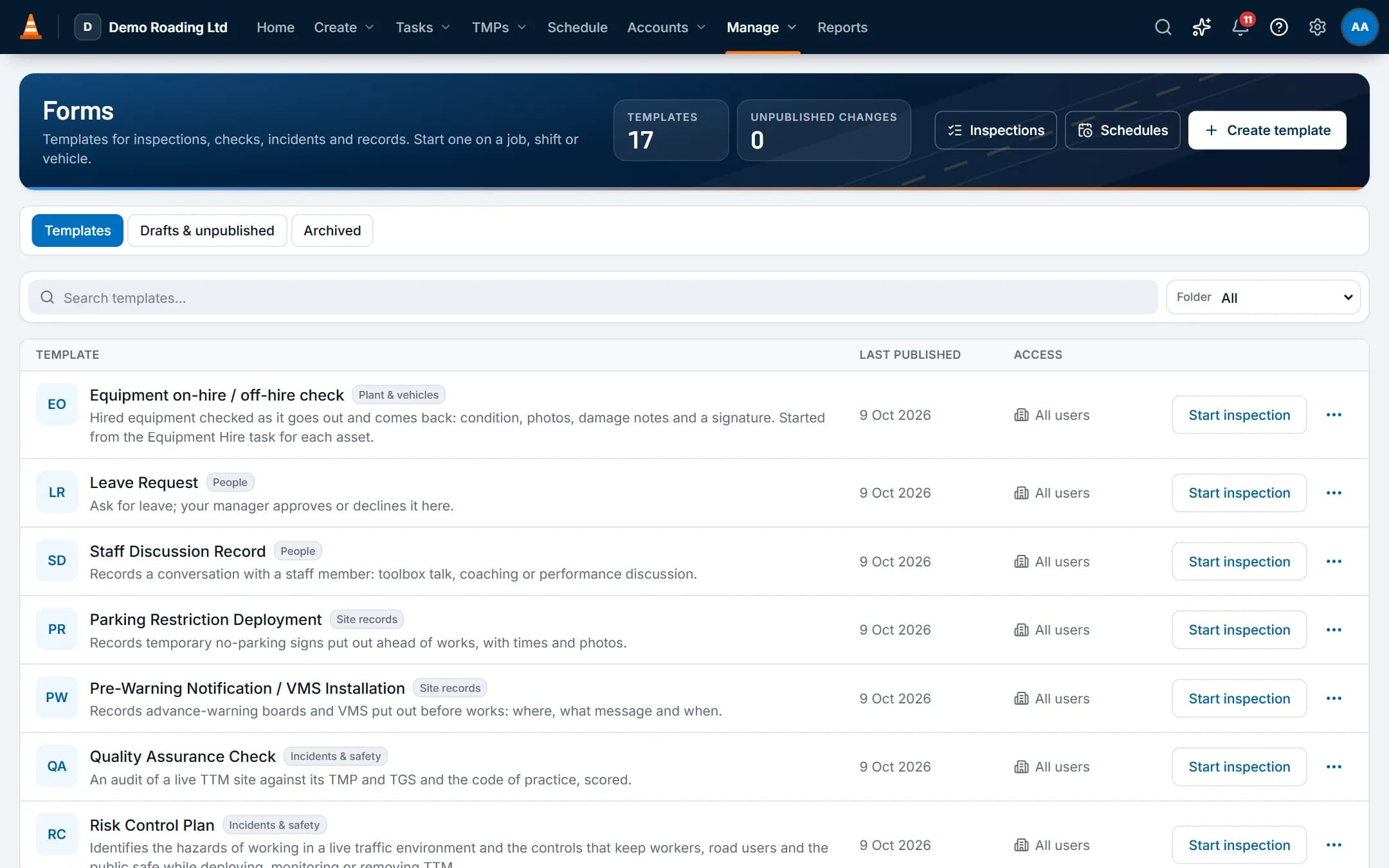
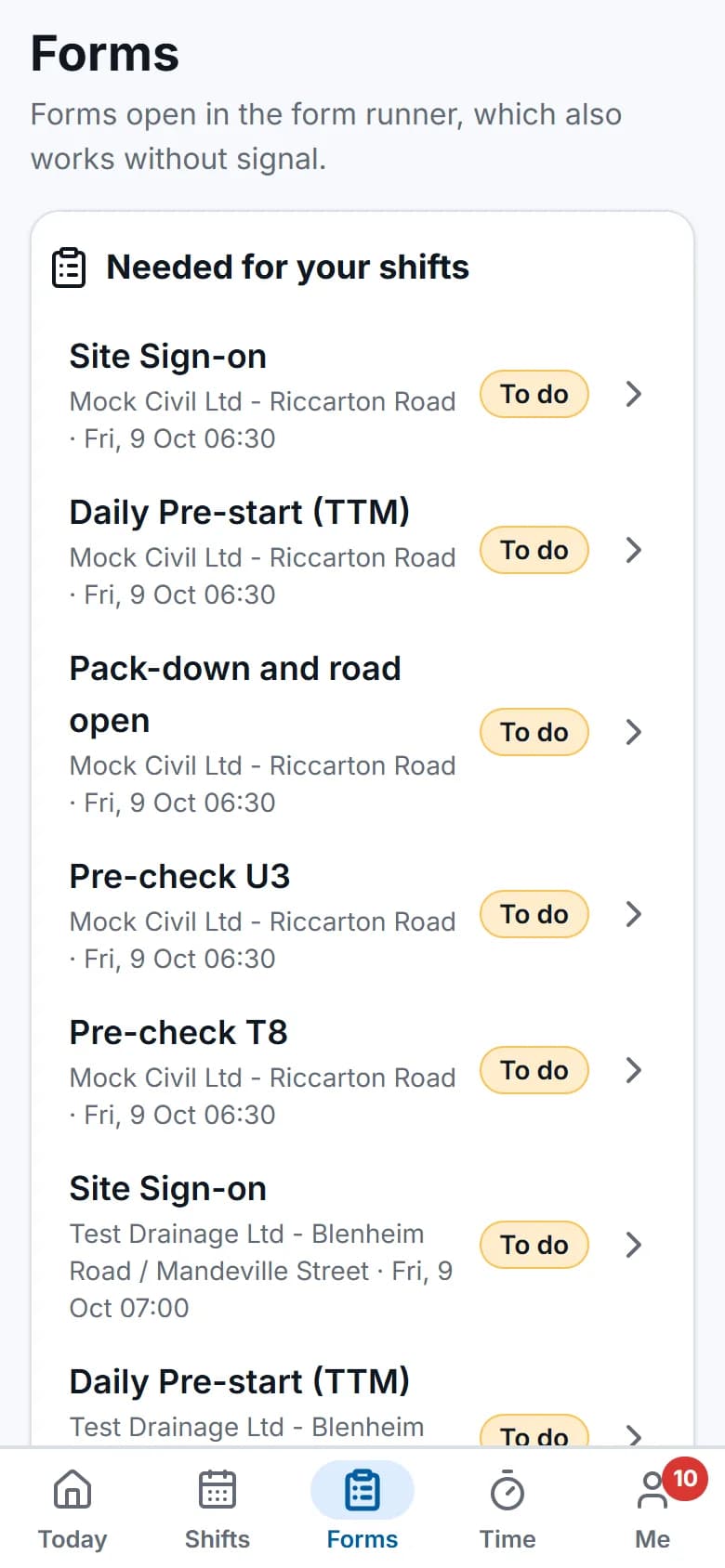
Screens show the real app with fictional demo data.
How it works
Step by step
Start from TTM templates
New companies get 16 starter forms, including Site Sign-on, Daily Pre-start (TTM), Unattended Site Check, Risk Control Plan, Vehicle Pre-check (TMA) and Incident, Accident & Near Miss. Edit them or build your own.Add logic
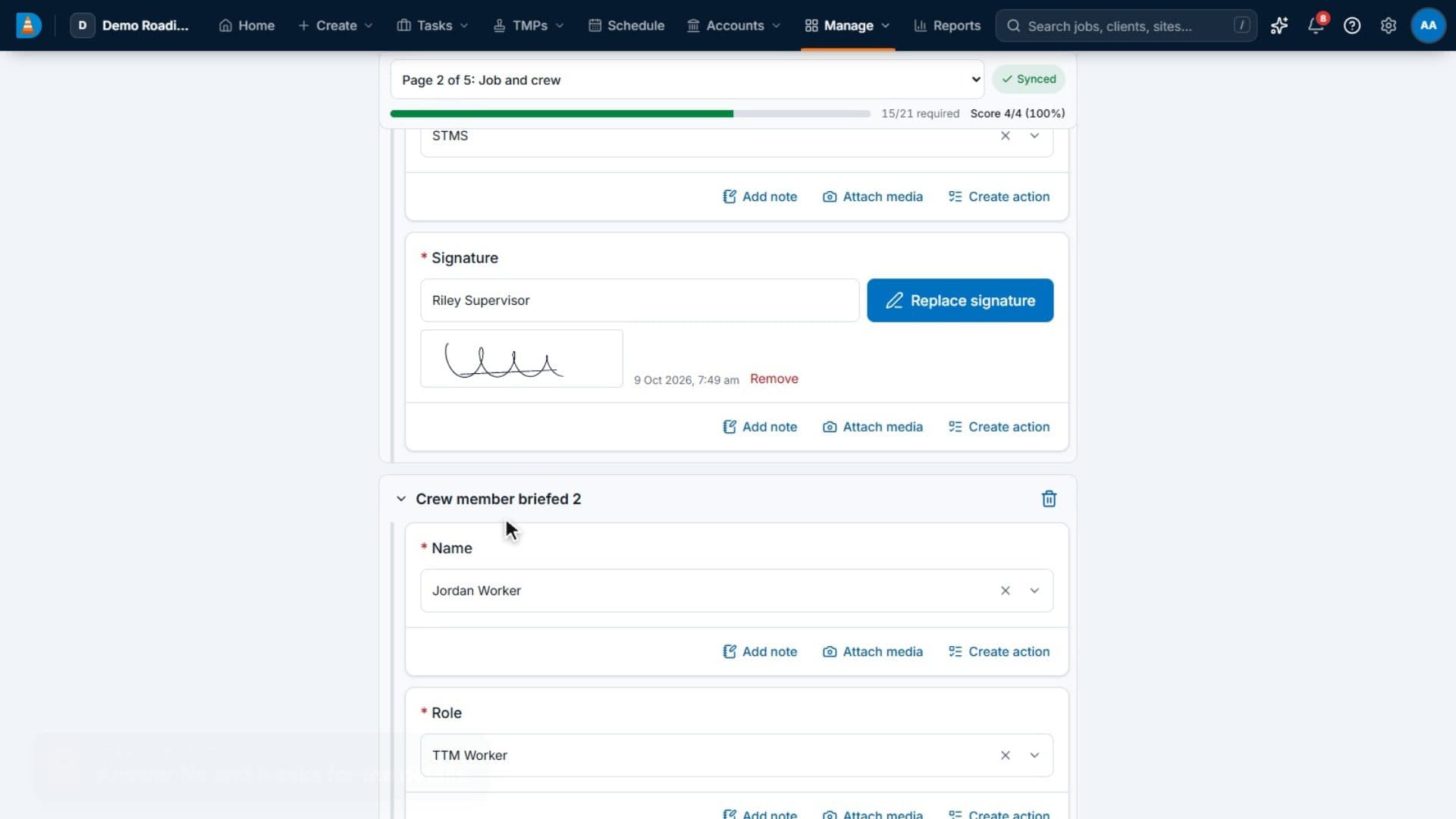
A question can trigger follow-ups, require a note, photo or action, flag the answer, or notify people. Templates are published in versions.Start from the job
Start an inspection from a task, shift, vehicle or location and its details fill in. On a repeat job, start from the last inspection to carry its details over.Complete it anywhere
Inspections work on the phone without signal, with photos, markup, signatures and location, and sync later.Follow it up
Flagged answers raise corrective actions with an owner, due date and evidence. Templates can require a manager's sign-off. Download a PDF or share a read-only link.
See it work
Watch it in the real app
Key capabilities
What it does
- 19 answer types, including multiple choice, photos, photo markup, signature, location, slider, person, vehicle, site, job details, and hazards and controls from your risk templates.
- Repeating sections, scoring and flagged answers.
- Schedules that create and assign inspections on a regular cycle.
- Task types and bookings can require forms before work starts or before the task is completed.
- Vehicle pre-checks record pass, advisory or fail. A fail alerts the office.
- Corrective actions marked to do, in progress, done or can't do, with comments and evidence.
- Branded PDF reports and read-only share links.
Questions
Common questions
Does the field app work without signal?
Yes. Each phone keeps the person's shifts from the past week and the next two weeks, with site details and the approved TMP and TGS PDFs for today and tomorrow.
Shift starts and finishes, time, photos, forms, vehicle pre-checks and document sign-offs are saved on the phone first. They're sent when the phone is back in coverage, oldest first and each exactly once.
Does it handle a move between TMP standards, such as CoPTTM to NZGTTM?
Yes, and both can run side by side. CoPTTM and NZGTTM are separate TMP types, so the TMP Dashboard shows which standard each plan uses. Each has its own design work type and chargeout rate.
There's a starter NZGTTM awareness competency to record who has been briefed, and a Risk Control Plan starter form with hazards and controls from your risk templates. You can rename or extend all of these.
On the same job
Works with
Field app (offline)
Shifts, plans, forms, photos and time on the phone, synced when coverage returns.
Compliance
Who holds which ticket, which vehicles are road-ready, and who has read the latest procedure.
Tasks & job inbox
Every shift, email, hour and invoice line for a job stays on one record.