Invoicing & accounting
Invoices from approved time, synced with your accounting software
What it solves
Billing day without the re-typing
Billing day means chasing timesheets, looking up each client's rates and re-typing lines into your accounting software, while older work sits unbilled.
- Every client has different rates, minimums and night rates.
- Design is invoiced before the plan is approved, or forgotten afterwards.
- The people chasing work can't see payments in your accounting software.
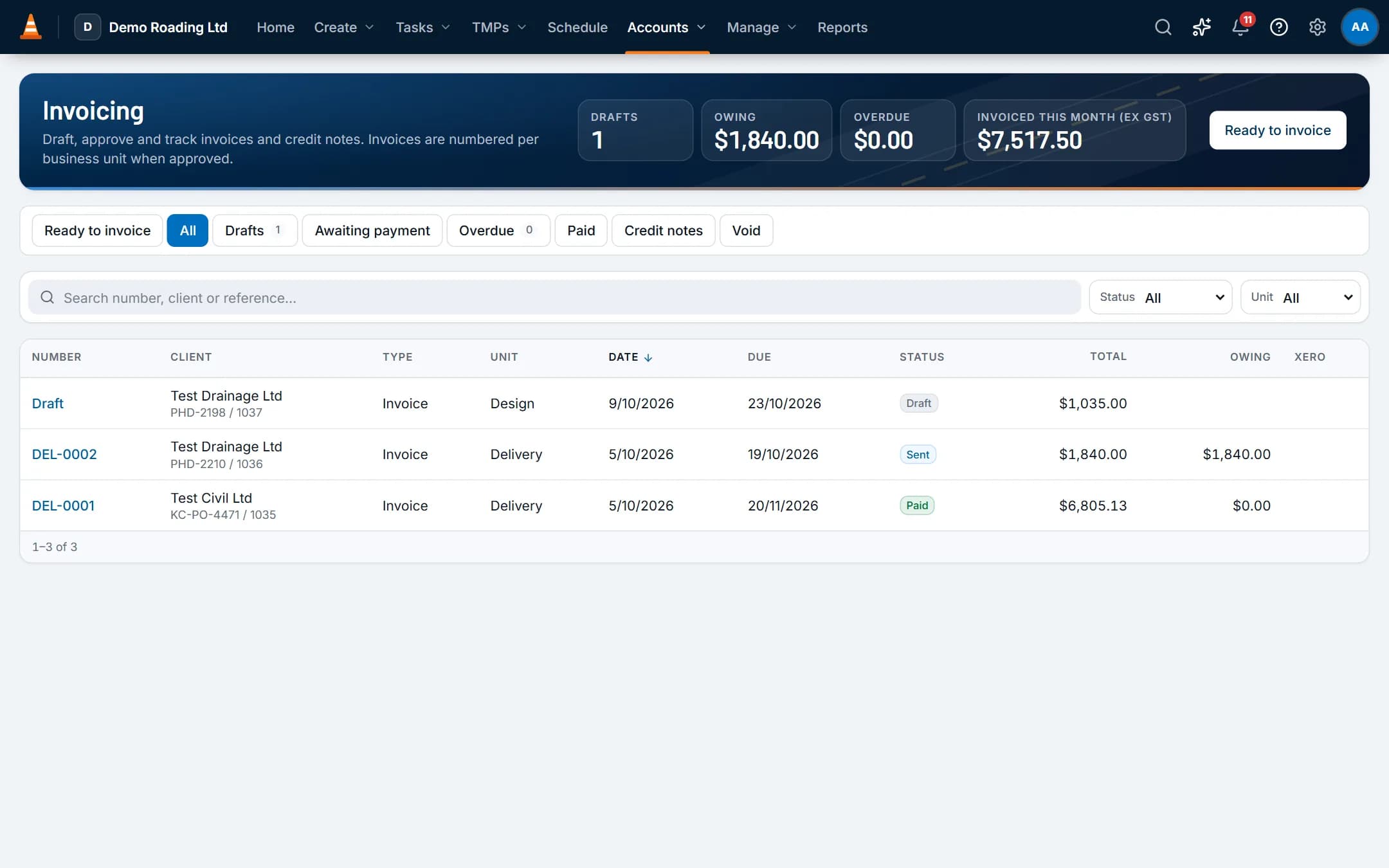
Screens show the real app with fictional demo data.
How it works
Step by step
Ready to invoice
Approved, unbilled work is grouped by client, with the oldest item and a countdown to your billing run (the 3rd business day of the month by default).Lines are priced for you
Each line is priced from the client's rate card for the business unit, then the client's card, then the business unit's price list, then your chargeout rates. A newer card replaces an older one.Draft, check and approve
Create draft invoices, check them and approve. Work can be held back, such as design until its TMP is approved, or a job still missing its client order number (Cust ON).Send it your way
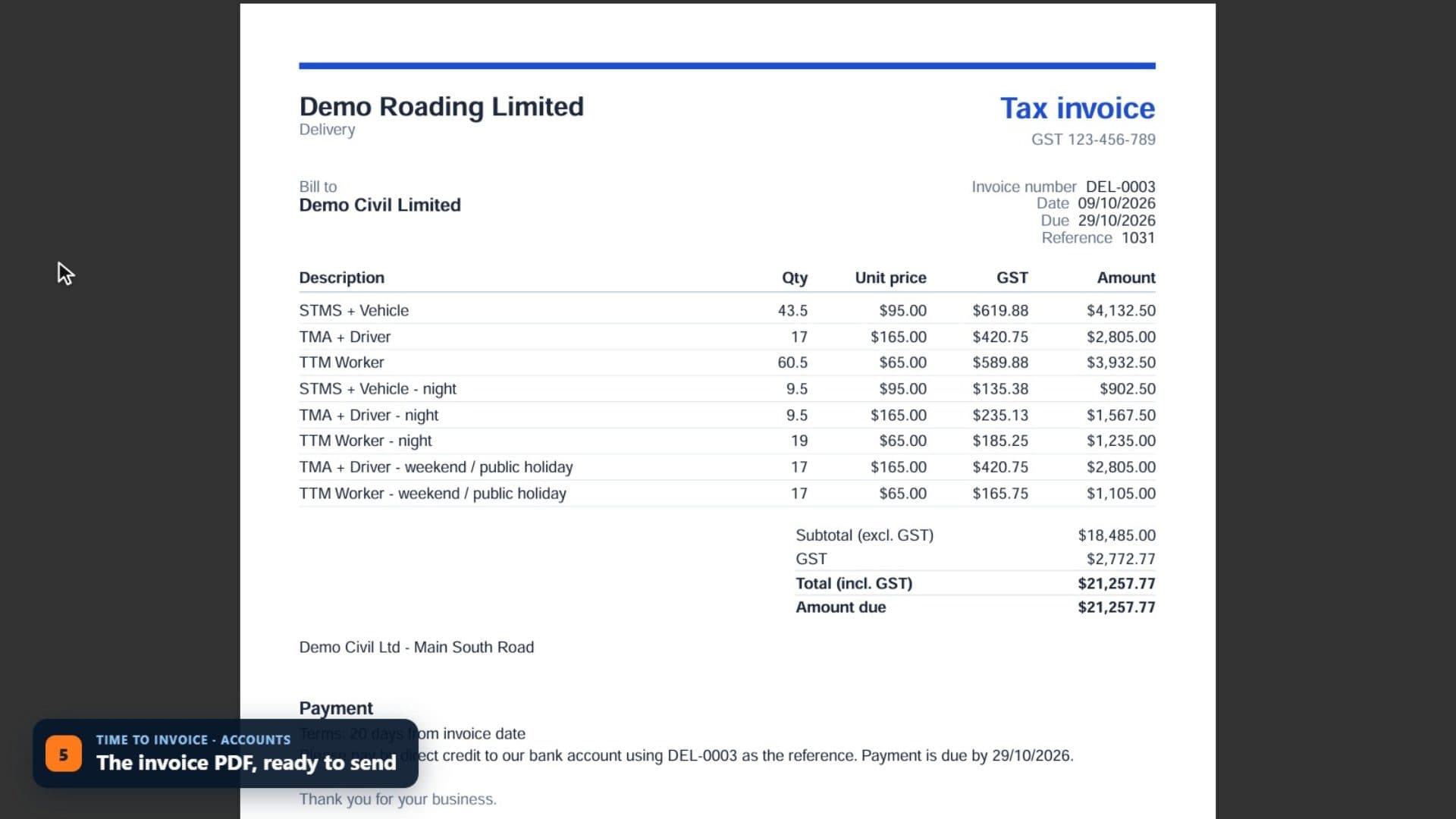
Download the PDF, send it yourself and mark it as sent, or let your accounting software email it.Sync with Xero
Clients become Xero contacts. Approved invoices and credit notes go to Xero. Payments sync back every hour, or immediately with Xero's webhook.
See it work
Watch it in the real app
Key capabilities
What it does
- Design charged hourly by work type. Delivery charged hourly by crew role, with minimums and night and weekend rates. Equipment hire charged by the day.
- Credit notes for all or part of an invoice, and voids.
- Tax codes such as GST, zero-rated and exempt mapped to Xero tax types. Each work type mapped to a Xero account and item code.
- Invoices sent to Xero as draft or approved, with a sync log you can retry.
- Payment terms, billing-run day and invoice wording set in Admin.
- Reports on unbilled work, monthly invoicing and task profitability.
Good to know: ProTTM never emails your clients. Xero, our integration today, can email invoices for you if you switch that on. More accounting integrations are planned.
Questions
Common questions
Does it work with my accounting software?
Xero today, with more accounting integrations planned. Connect your Xero organisation in Admin. Clients become Xero contacts. Approved invoices and credit notes go to Xero as drafts or approved, your choice. Payments sync back every hour, or immediately with Xero's webhook.
Each work type maps to a Xero account and item code. Tax rates such as GST, zero-rated and exempt map to Xero's tax types.
Does ProTTM email invoices and quotes to our clients?
No. Download the PDF and send it yourself, then mark it as sent. Or switch on Xero's invoice email so Xero sends approved invoices.
ProTTM only sends account emails: invitations, password resets, email confirmations and sign-in links.
On the same job
Works with
Timesheets & payroll
Time comes from bookings and the field app, is approved once, then goes to payroll and invoicing.
Reports, dashboard & API
A home dashboard for each role, reports with exports, and a read-only API for your TV board and tools.
Tasks & job inbox
Every shift, email, hour and invoice line for a job stays on one record.