Field app (offline)
A field app that works without signal
What it solves
The plan, the forms and the clock, on site
Crews often work without signal. Printed plans go out of date, paper sign-ons get lost, and hours are written up from memory at the end of the week.
- The approved TGS isn't on site, or it's an old version.
- Paper pre-starts and pre-checks reach the office days later.
- Timesheets are rebuilt from texts and memory.
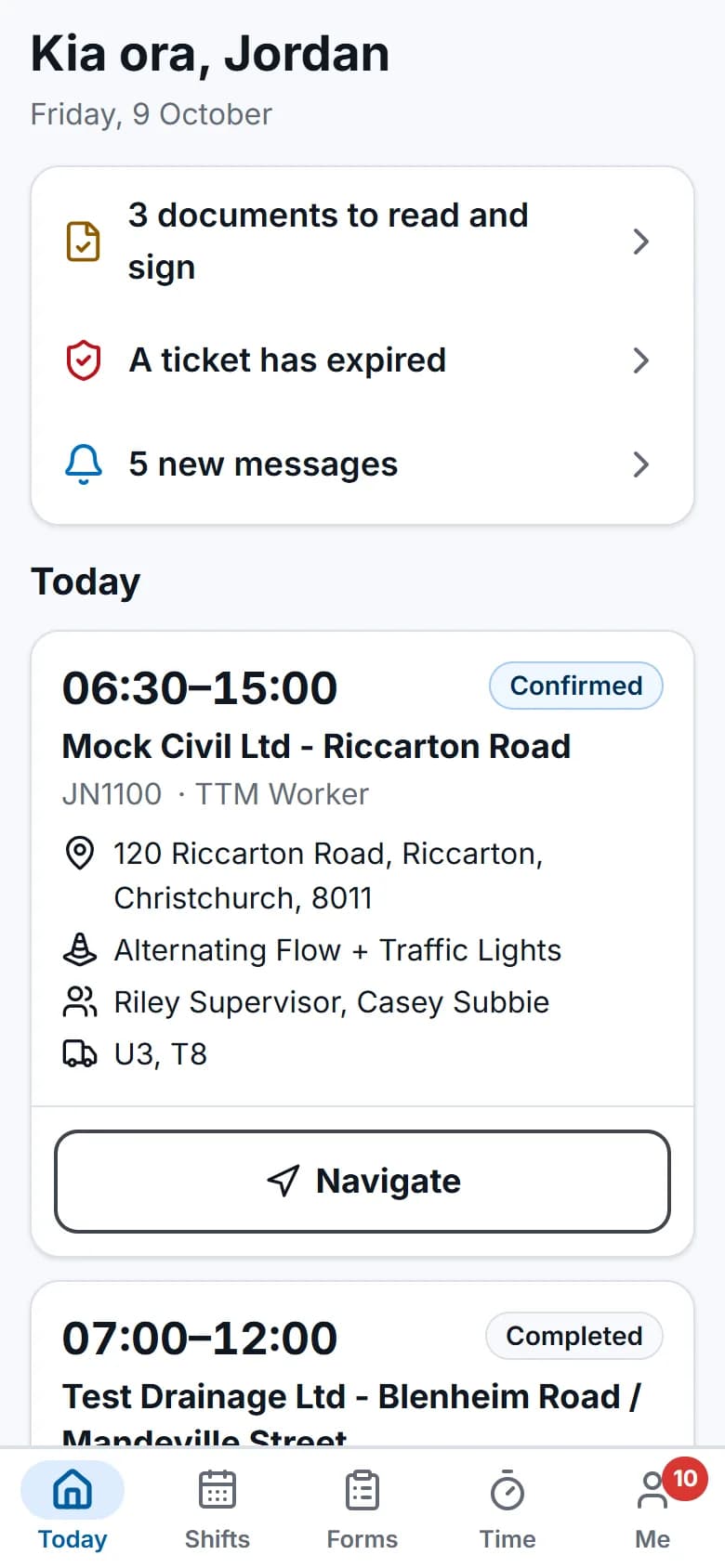
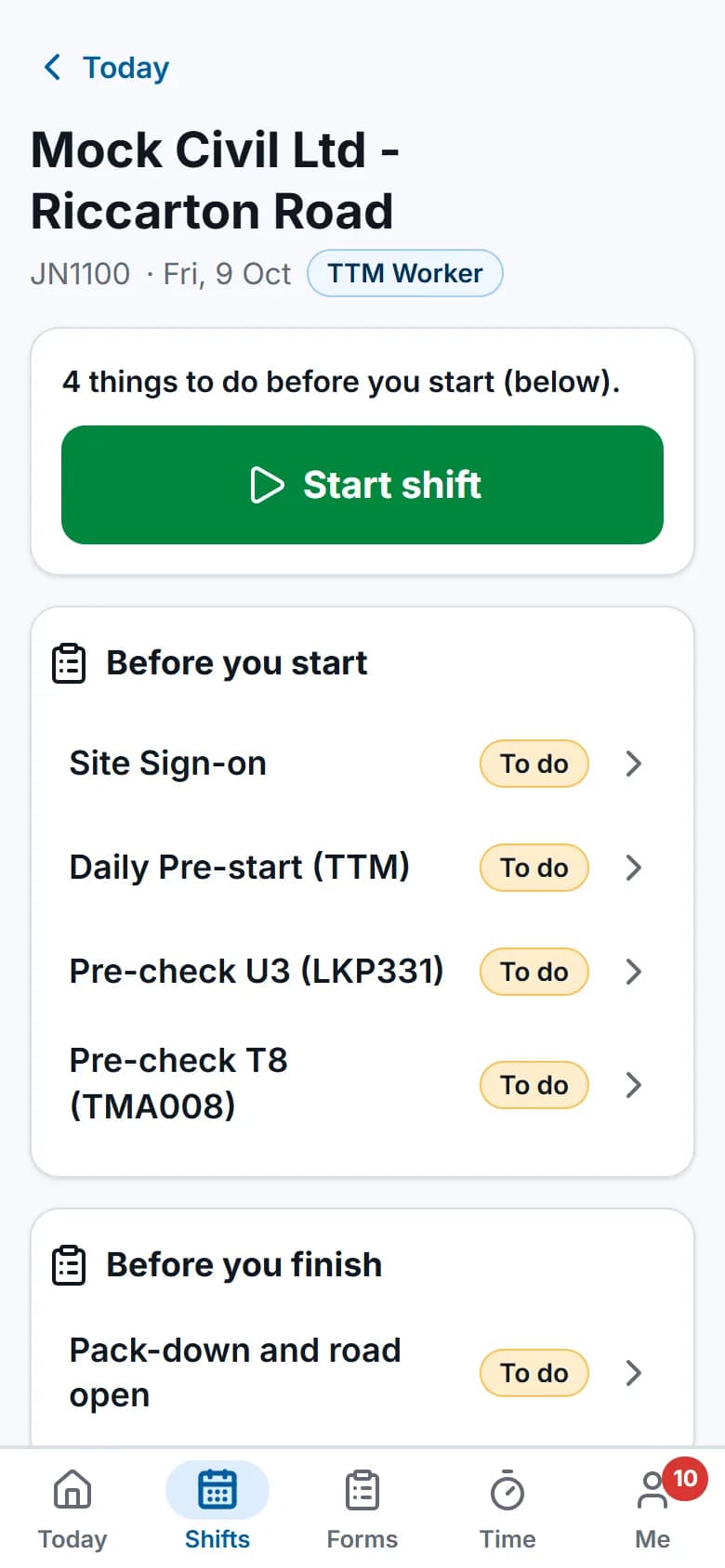
Screens show the real app with fictional demo data.
How it works
Step by step
Open it on the phone
The field app runs in the phone or tablet browser. Add it to the home screen and it opens like an app. Field staff and subcontractors see only their own work.Today's shift, ready offline
The phone keeps each person's shifts from the past week and the next two weeks, site details with directions, and the approved TMP and TGS PDFs for today and tomorrow.Start the shift
Start and finish the shift, with location if it's switched on. The forms the job needs, such as the site sign-on and vehicle pre-check, are listed on the shift.Keep working without signal
Forms, pre-checks, photos, time, document sign-offs and timesheets are saved on the phone first.Sync when coverage returns
Saved items are sent oldest first, each exactly once. If the office changed something in the meantime, the phone shows what changed and why.
See it work
Watch it in the real app
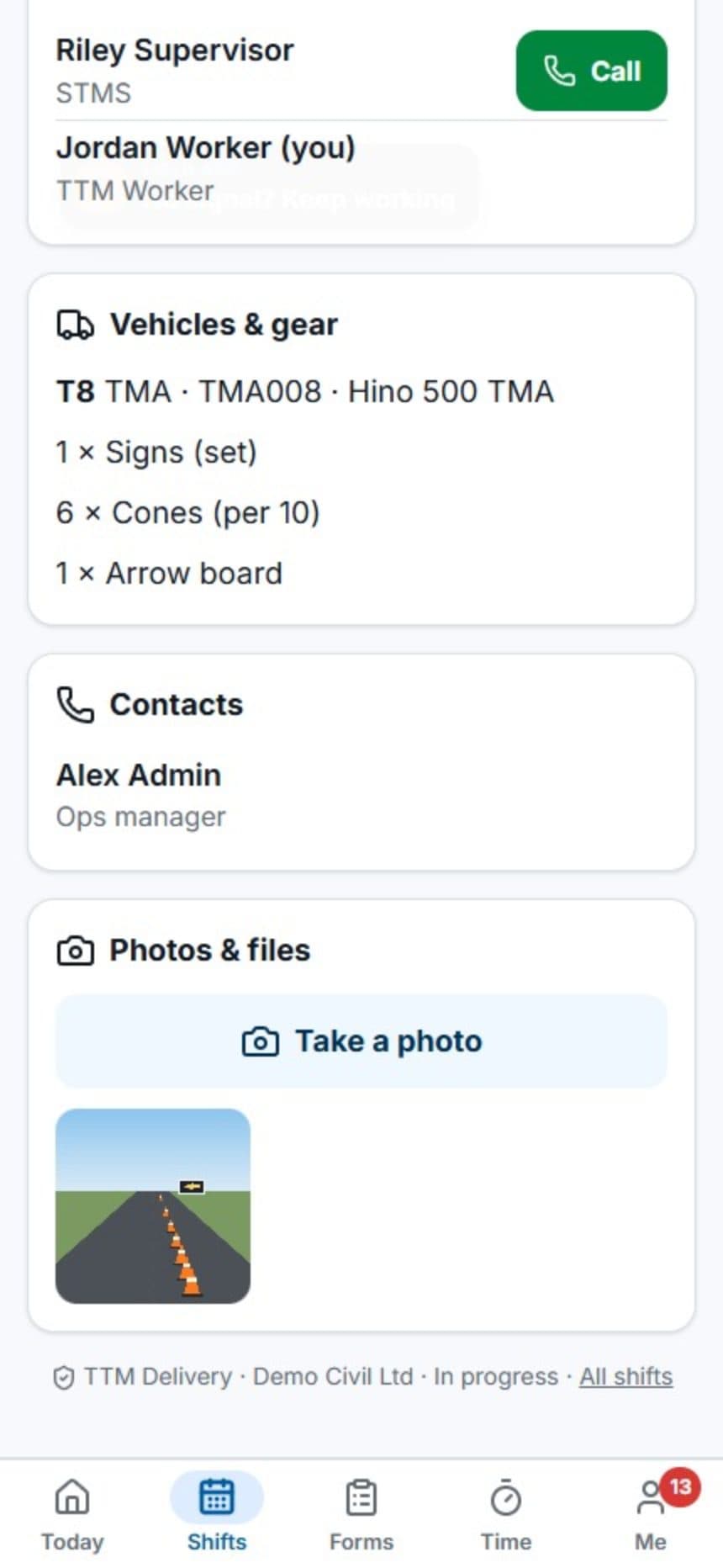
Key capabilities
What it does
- Today's and upcoming shifts, with site details and directions.
- Approved TMP and TGS PDFs stored on the phone for today's and tomorrow's shifts.
- Clock on and off, add time by hand, and submit timesheets.
- Photos are compressed on the phone, so they send on a weak signal.
- Forms, inspections and vehicle pre-checks offline, with photos and signatures.
- Each person's tickets, and documents to read and sign.
- An in-app reminder the day before each shift.
Questions
Common questions
Does the field app work without signal?
Yes. Each phone keeps the person's shifts from the past week and the next two weeks, with site details and the approved TMP and TGS PDFs for today and tomorrow.
Shift starts and finishes, time, photos, forms, vehicle pre-checks and document sign-offs are saved on the phone first. They're sent when the phone is back in coverage, oldest first and each exactly once.
Do crews need to install an app?
No. The field app runs in the phone or tablet browser. Crews can add it to their home screen, where it opens like an app.
What if the office changes a shift while a crew is offline?
The office's change wins. When the phone syncs, anything it can't apply is shown on the phone with the reason.
On the same job
Works with
Forms & inspections
Sign-ons, pre-starts, site checks and incident forms that fill in the job details for you.
Scheduling & crews
People and vehicles by day, with clashes, tickets, leave and fatigue checked as you book.
Timesheets & payroll
Time comes from bookings and the field app, is approved once, then goes to payroll and invoicing.